Smooth Moves: How PTZ Camera Controllers Enhance Live Production
Updated: Apr 8
In today’s fast paced world of live streaming and professional video production, precision and control can make all the difference. Whether you're broadcasting a church service, hosting a webinar, streaming a concert, or capturing a corporate event, smooth camera movement is key to keeping your audience engaged. That’s where PTZ camera controller comes in.
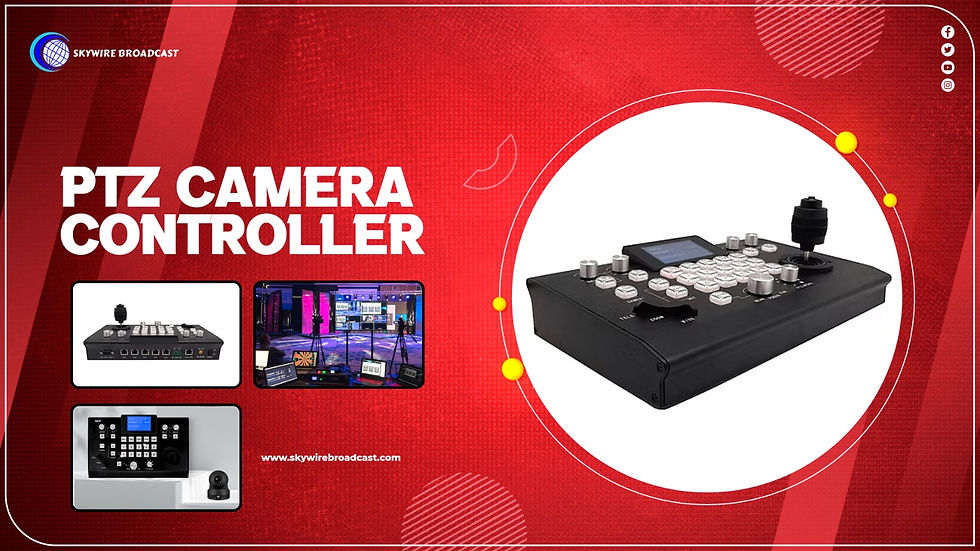
What Is a PTZ Camera Controller?
A PTZ (Pan-Tilt-Zoom) camera controller is a device that gives you direct control over your PTZ cameras. Instead of relying on a mouse or software to adjust angles and zoom, a physical controller often equipped with a joystick, buttons, and presets offers faster, smoother, and more intuitive control during a live production.
These controllers are designed for clarity movements, allowing you to smoothly pan across a room, tilt up or down, and zoom in on a speaker or performance all without jerky motions or delays.
Why Use a PTZ Camera Controller for Live Production?
Here’s how a PTZ controller enhances your live workflow:
1. Fluid Movement, Professional Results
Using a joystick-based controller means you can make moderate and fluid camera motions, essential for professional looking transitions during live events. Whether it’s a gentle zoom-in on a speaker or a seamless pan across a stage, these smooth movements elevate your production quality.
2. Real-Time Responsiveness
Live production requires split second decisions. A dedicated controller responds instantly, helping you switch views, reframe shots, or track movement in real time all without distracting delays.
3. Multi-Camera Control
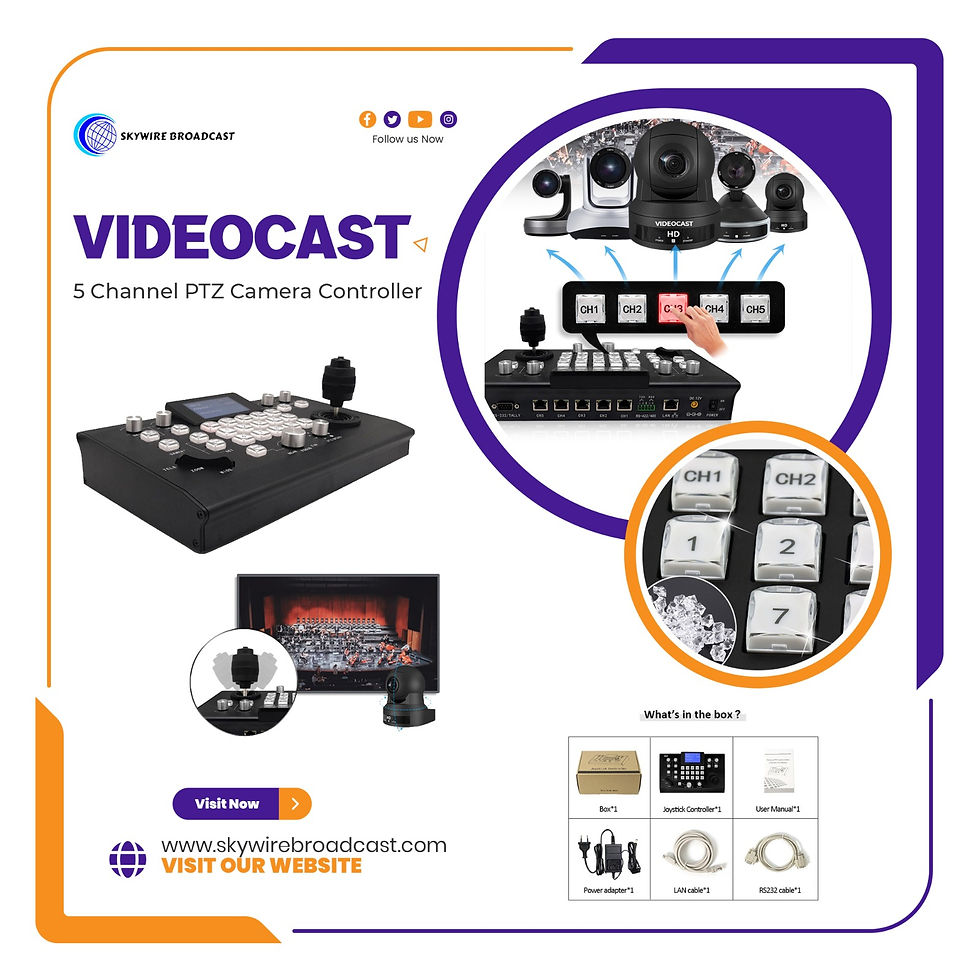
Most PTZ Camera controllers support multiple cameras, giving you the power to control several angles from a single device. With programmable presets, you can jump between saved positions for each camera with one button press.
4. Intuitive Interface
Designed with operators in mind, PTZ controllers often feature easy to use layouts with customizable buttons, speed controls, and camera selectors. Even for volunteers or non tech users, the learning curve is minimal.
5. Increased Workflow Efficiency
By freeing up software-based controls, a hardware VIDEOCAST PTZ controller helps streamline your live production workflow. This means less time fiddling with settings and more focus on content, storytelling, and audience engagement.
Ideal Use Cases
PTZ controllers are a game-changer across multiple industries:
Houses of Worship – Seamlessly switch from wide congregation shots to close-ups of the preacher.
Education – Capture lectures or presentations with precision, even in hybrid classrooms.
Corporate Events – Elevate webinars and conferences with clean camera transitions.
Live Performances – Track performers and keep the show dynamic with real-time camera control.
Broadcast Studios – Enhance multi-cam setups with full control from a single operator.
Conclusion:
A PTZ camera controller isn’t just an accessory it’s a core tool for any serious live production setup. Whether you are a solo streamer or part of a larger AV team, the ability to command your camera with precision and ease is invaluable.
If you are looking to deliver a polished, professional live stream, investing in a reliable VIDEOCAST PTZ camera controller is a smart move that pays off in every smooth shot.
Contact Us:
📧 Email: sales@skywirebroadcast.com
📞 Phone: +917042004116/ 9810361836
🌐 Website: www.skywirebroadcast.com
FAQ
1. What is a PTZ camera controller and how does it work?
A PTZ camera controller is a hardware device that allows users to remotely control pan, tilt, and zoom functions of PTZ cameras using a joystick, buttons, and presets for smooth and precise camera movements.
2. Why should I use a PTZ camera controller instead of software control?
A PTZ camera controller provides faster response, smoother motion control, and real-time adjustments compared to software, making it ideal for live streaming and professional video production.
3. Can a PTZ camera controller manage multiple cameras at once?
Yes, most PTZ camera controllers support multi-camera control, allowing operators to switch between different cameras and save preset positions for quick transitions.
4. What are the key features to look for in a PTZ camera controller?
When choosing a PTZ camera controller, look for:
Joystick precision control
Multi-camera support
Preset memory functions
IP/RS232/RS485 connectivity
User-friendly interface
5. Is a PTZ camera controller suitable for live streaming?
Yes, a PTZ camera controller is essential for live streaming as it enables smooth camera transitions, real-time adjustments, and professional-quality video output.
6. Who should use a PTZ camera controller?
A PTZ camera controller is ideal for:
Churches and houses of worship
Educational institutions
Corporate event teams
Live production studios
Content creators and streamers
7. How does a PTZ camera controller improve video production quality?
A PTZ camera controller ensures stable, fluid camera movements and quick shot adjustments, resulting in more engaging and professional-looking video content.
8. What is the difference between IP and serial PTZ camera controllers?
An IP-based PTZ camera controller works over a network for remote access, while a serial controller (RS232/RS485) uses direct cable connections for stable, low-latency control.
9. Are PTZ camera controllers easy to use for beginners?
Yes, most PTZ camera controllers feature intuitive controls, making them easy to operate even for beginners or volunteers with minimal technical experience.
10. How do presets work in a PTZ camera controller?
Presets in a PTZ camera controller allow users to save specific camera positions and recall them instantly, enabling quick and seamless transitions during live events.
11. What is the best PTZ camera controller for professional use?
The best PTZ camera controller depends on your setup, but professional users should look for models with multi-camera support, advanced presets, and network/IP control like VIDEOCAST controllers.
12. Is investing in a PTZ camera controller worth it?
Yes, investing in a PTZ camera controller significantly improves workflow efficiency, camera precision, and overall production quality, making it a valuable tool for any live production setup.


Comments